
Support Agent Dashboard
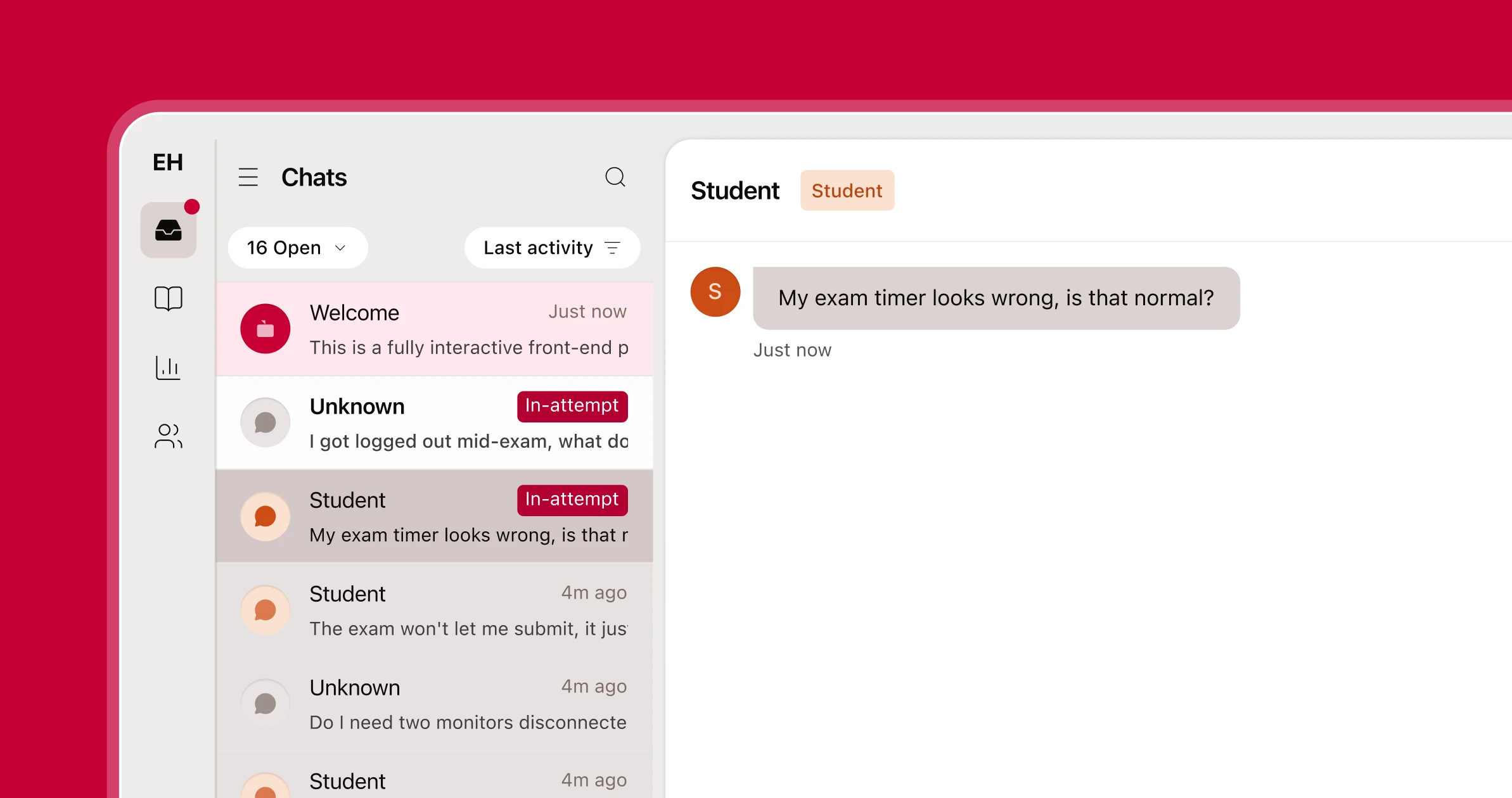
A support agent's queue for in-exam chatters that arrive with session context, so agents resolve friction before the exam window closes.
- In-session
- Friction resolved before the exam window closes
- Full context
- Where the test-taker is, exam settings, and what they were doing when they got stuck
- Role
- Product design + front-end build
- Type
- Product Redesign
- React
- TypeScript
- Tailwind v4
- shadcn
- Base UI
- Storybook
Problem
Test-takers who hit friction mid-exam needed an easy, accessible way to ask for help without leaving the exam. Support agents needed clear context into the test-taker's situation and a live communication channel to quickly provide actionable help.
Task
Route test-taker conversations to a human in real time with session and exam context attached: where the test-taker is, exam settings, and what they were doing when they got stuck. That required deep consideration on the test-taker context panel, product/institution-aware suggestions, agent commands, and customizable performance insights.
Process
The core decision was to route chat with session context attached (where the test-taker is, what they were doing when they got stuck) rather than a blank conversation an agent has to reconstruct by asking. Chat state was designed to persist through a paused exam, so a test-taker stepping away doesn't cost the agent their place in the thread.

Never pull them out of the exam
- Never pull the test-taker out of the exam to get help.
- Give the agent context before they ask for it.
- Provide transparency for all test-takers, support agents, and institutions.
What shipped
Shipped surfaces include an Inbox, three Knowledge views, twelve Reports views, four Contacts filters, four Settings pages, and a standalone Integrity Review.
The prototype
25 screens of the console as an agent works it: triaging the live queue, reading a conversation with the session context already attached, and closing a case. It's a clickthrough, not a build: vanilla HTML, CSS and JavaScript, so it loads instantly and every state is reachable by clicking rather than by seeding data.
Integrity Console: 25-screen clickthrough
Full screenEarly wireframes
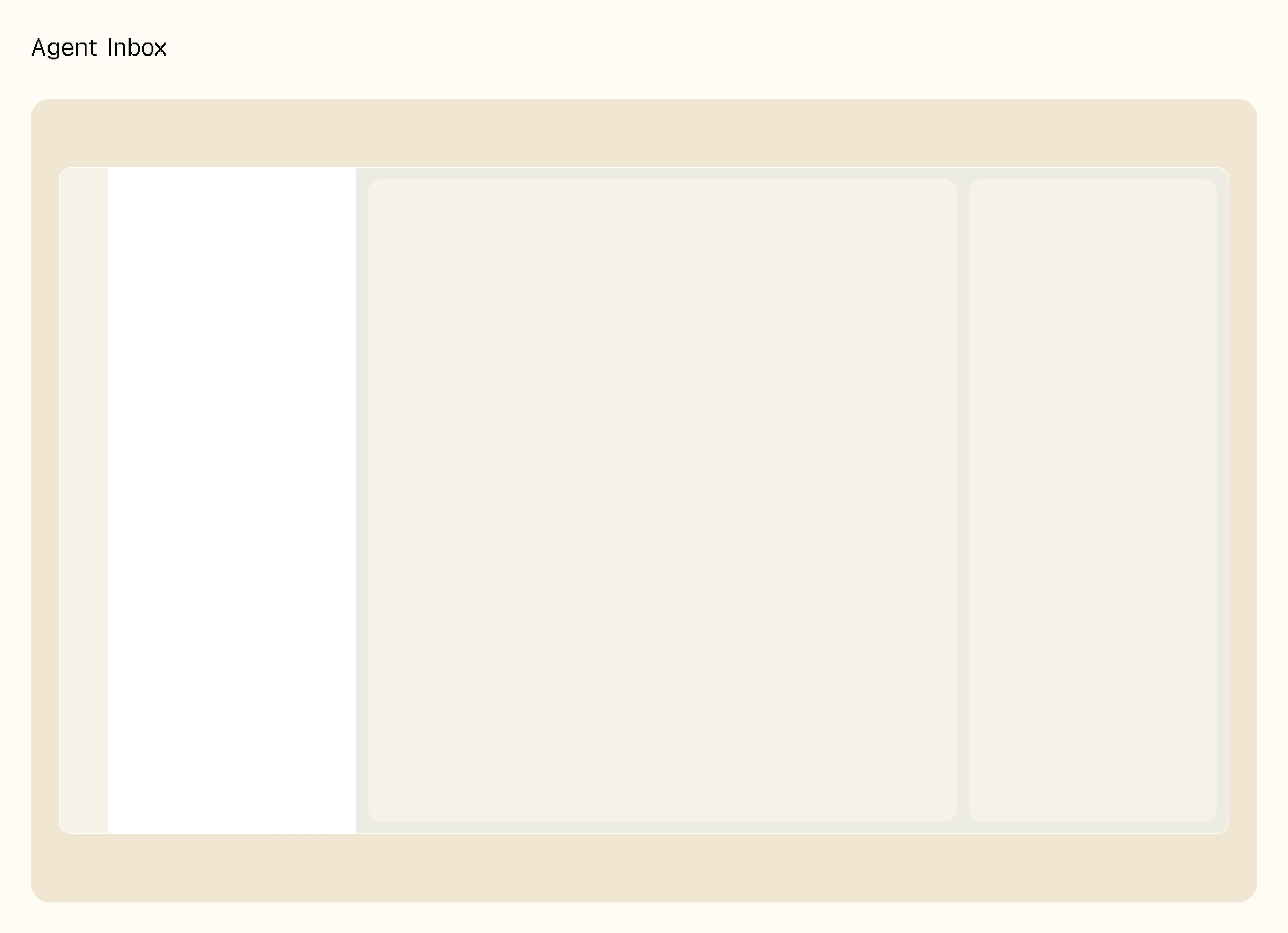
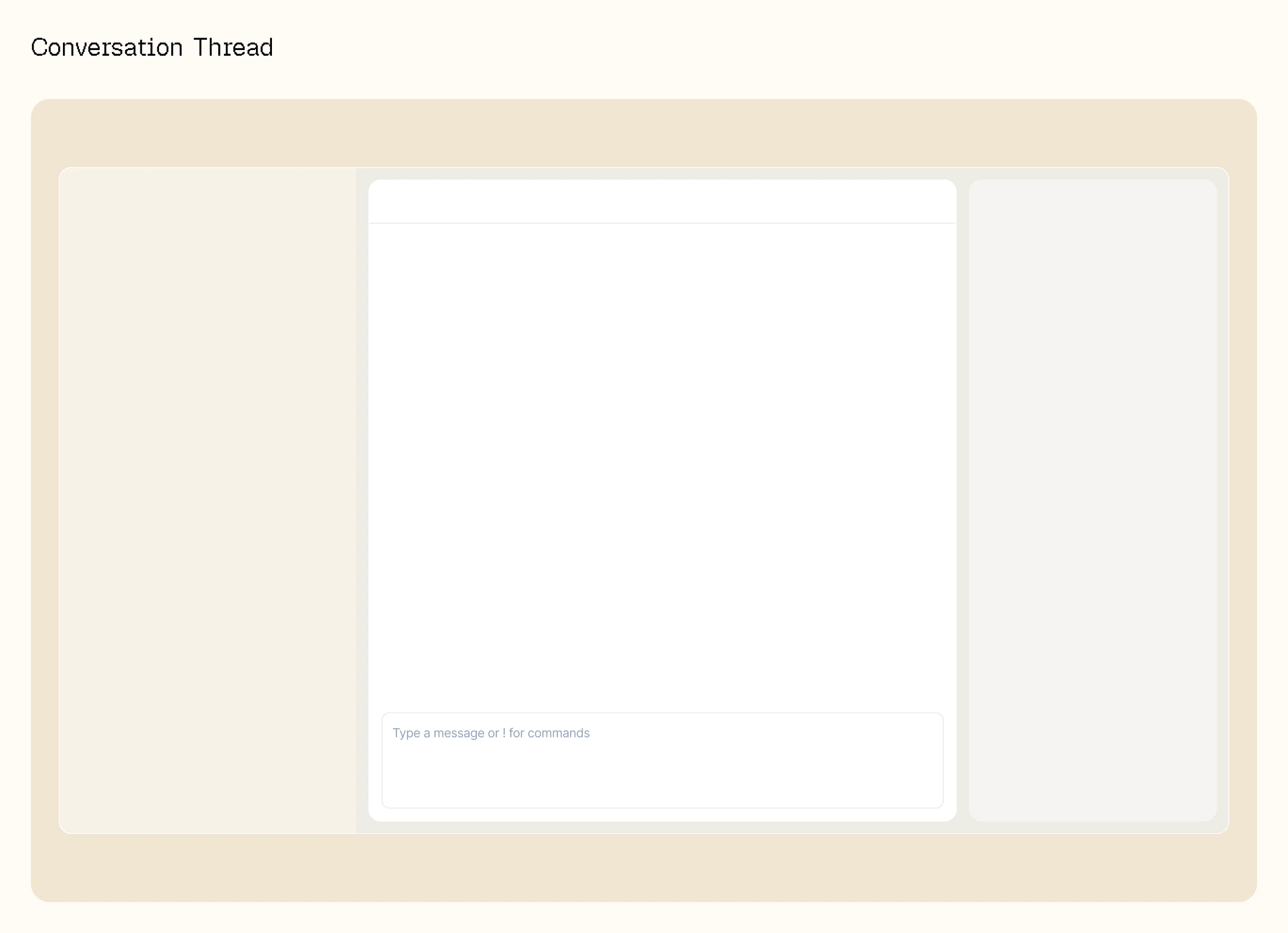
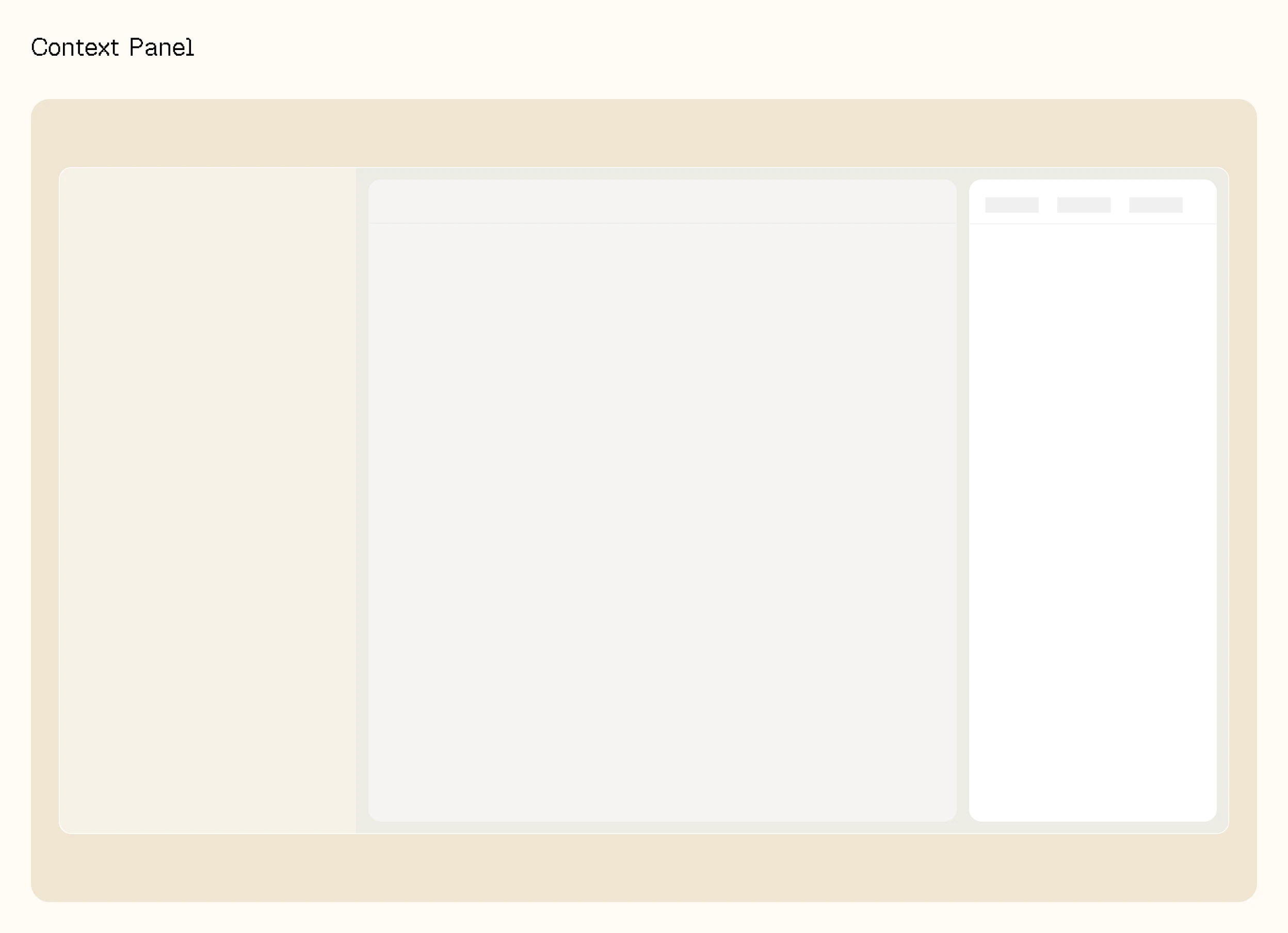
Three regions, blocked out before any of it had a visual language: the queue an agent works down, the thread they read, and the panel carrying the session context. The whole argument of the product is in the third one: everything else is a chat client.
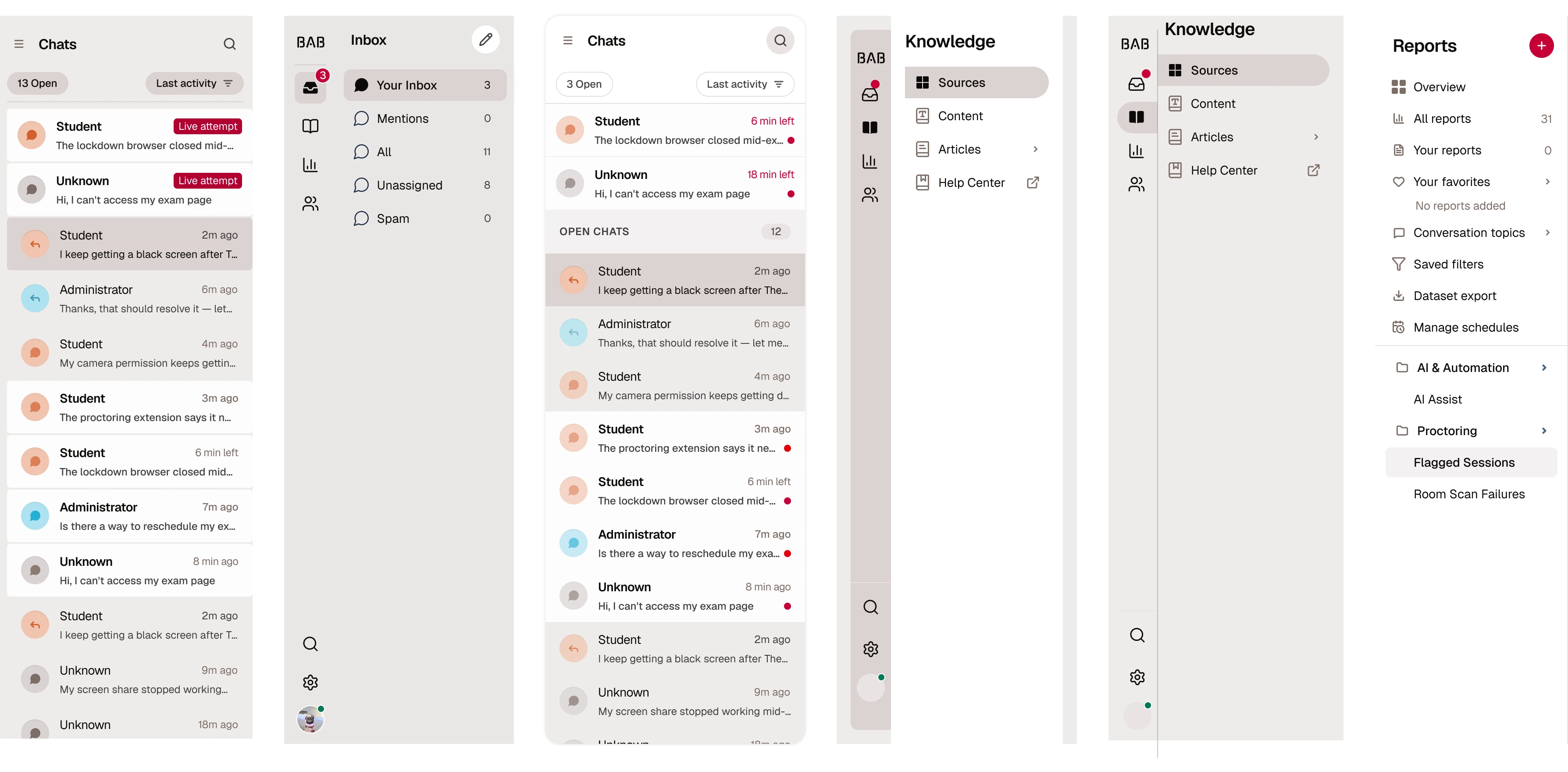
Sidenav explorations
Six passes at the navigation, from a bare chat list to a labelled rail with nested report groups. The question underneath: how much structure an agent can carry before the queue stops being the thing they are looking at.
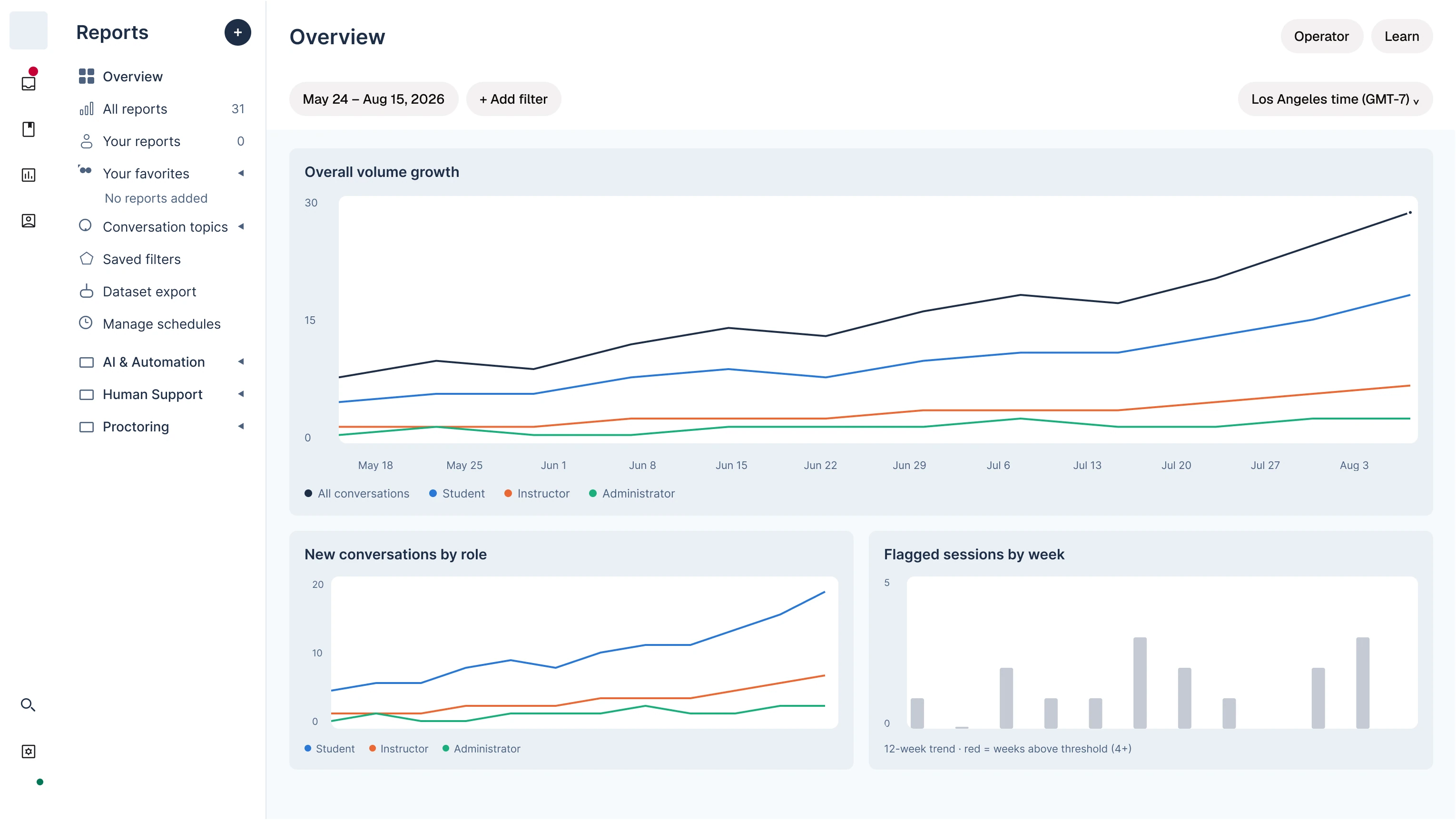
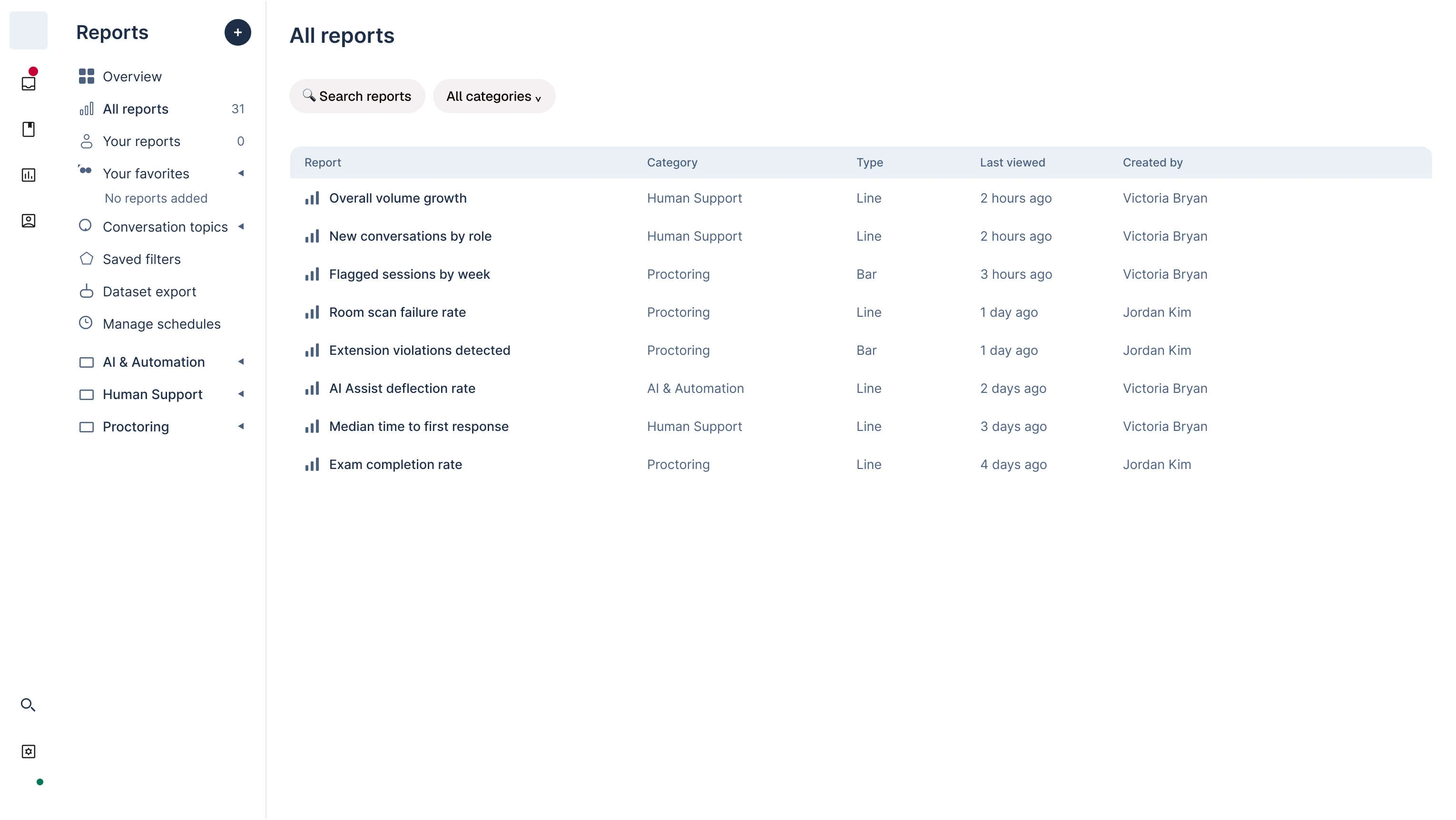
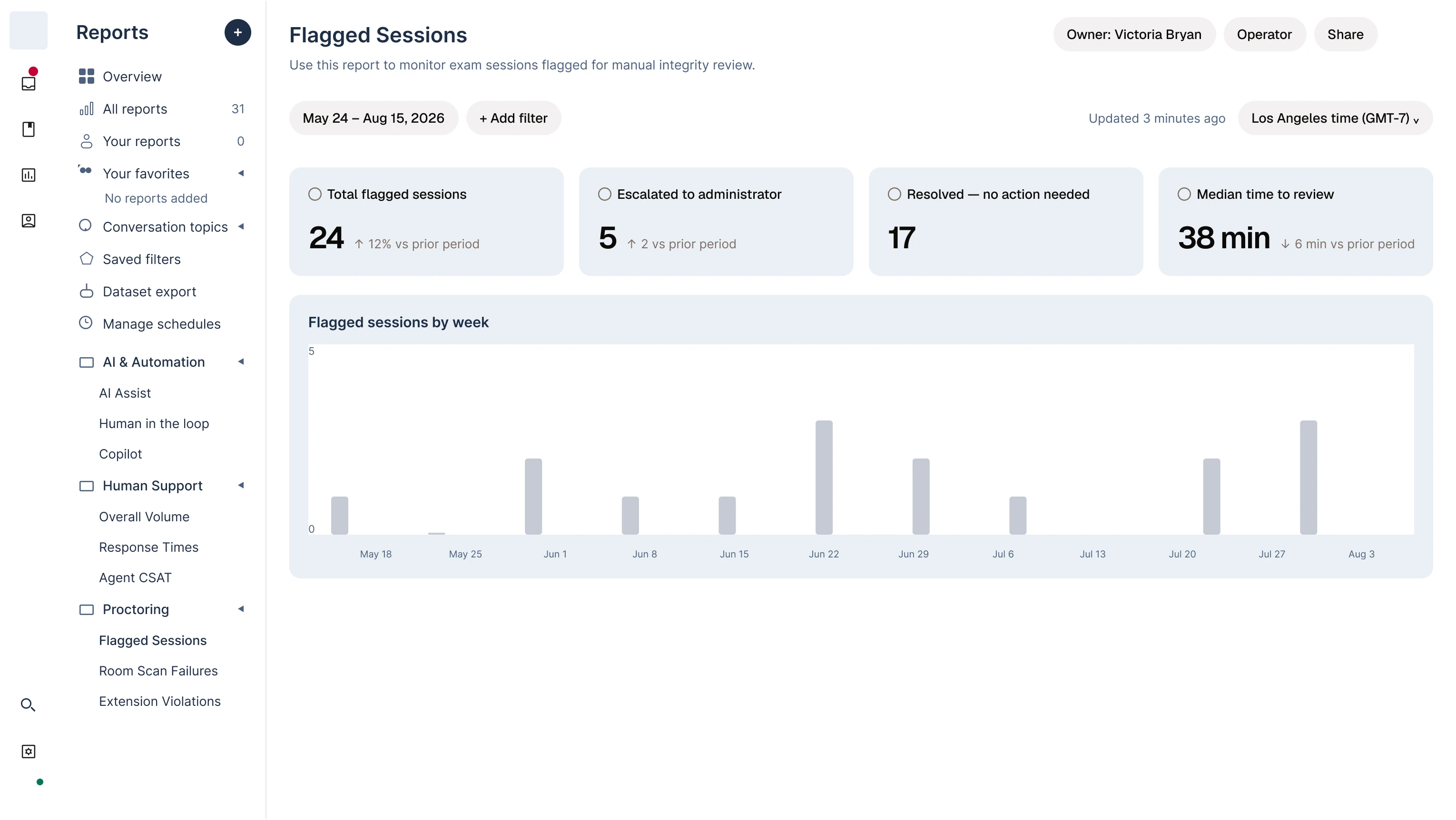
Reports, second pass
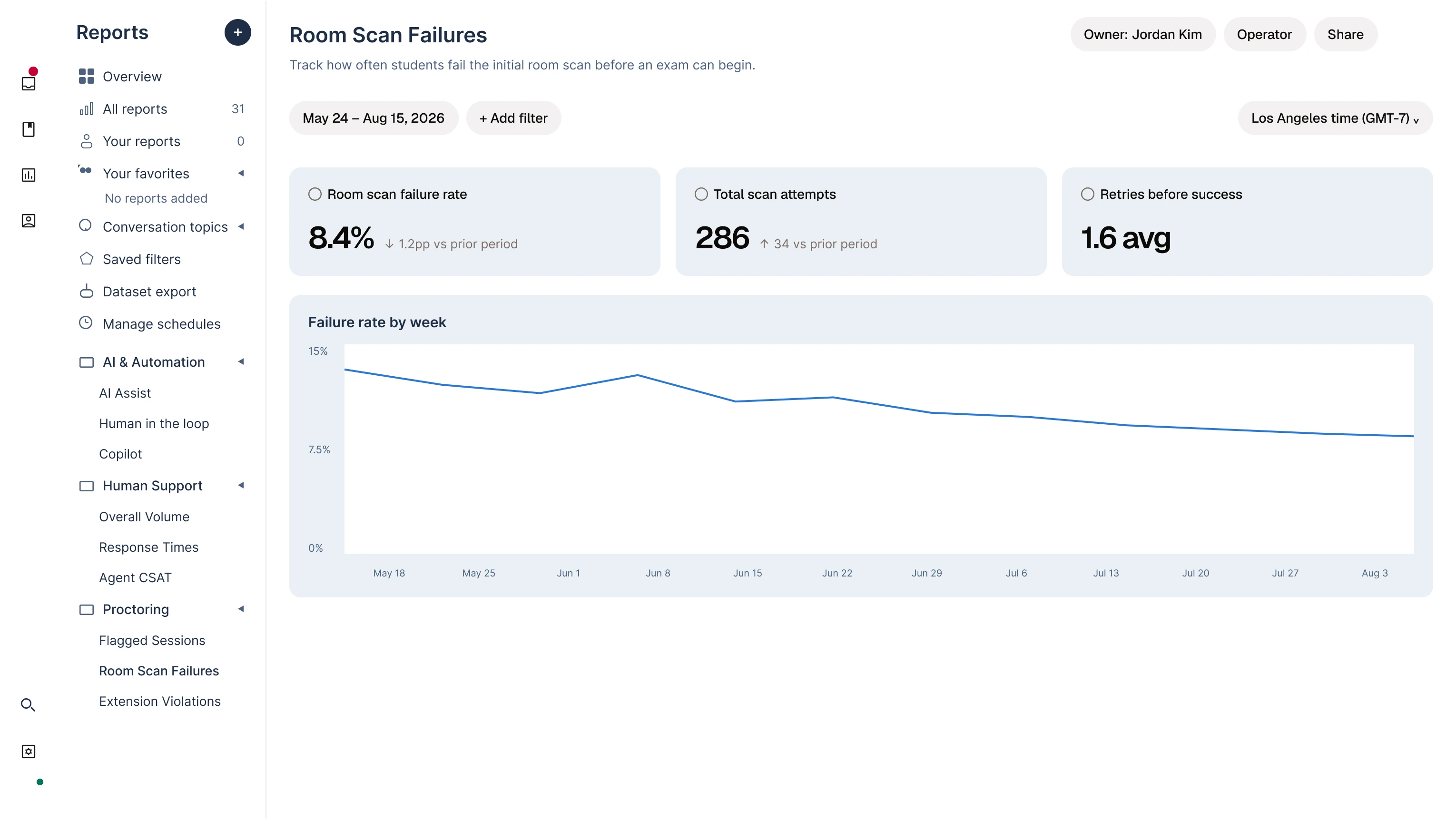
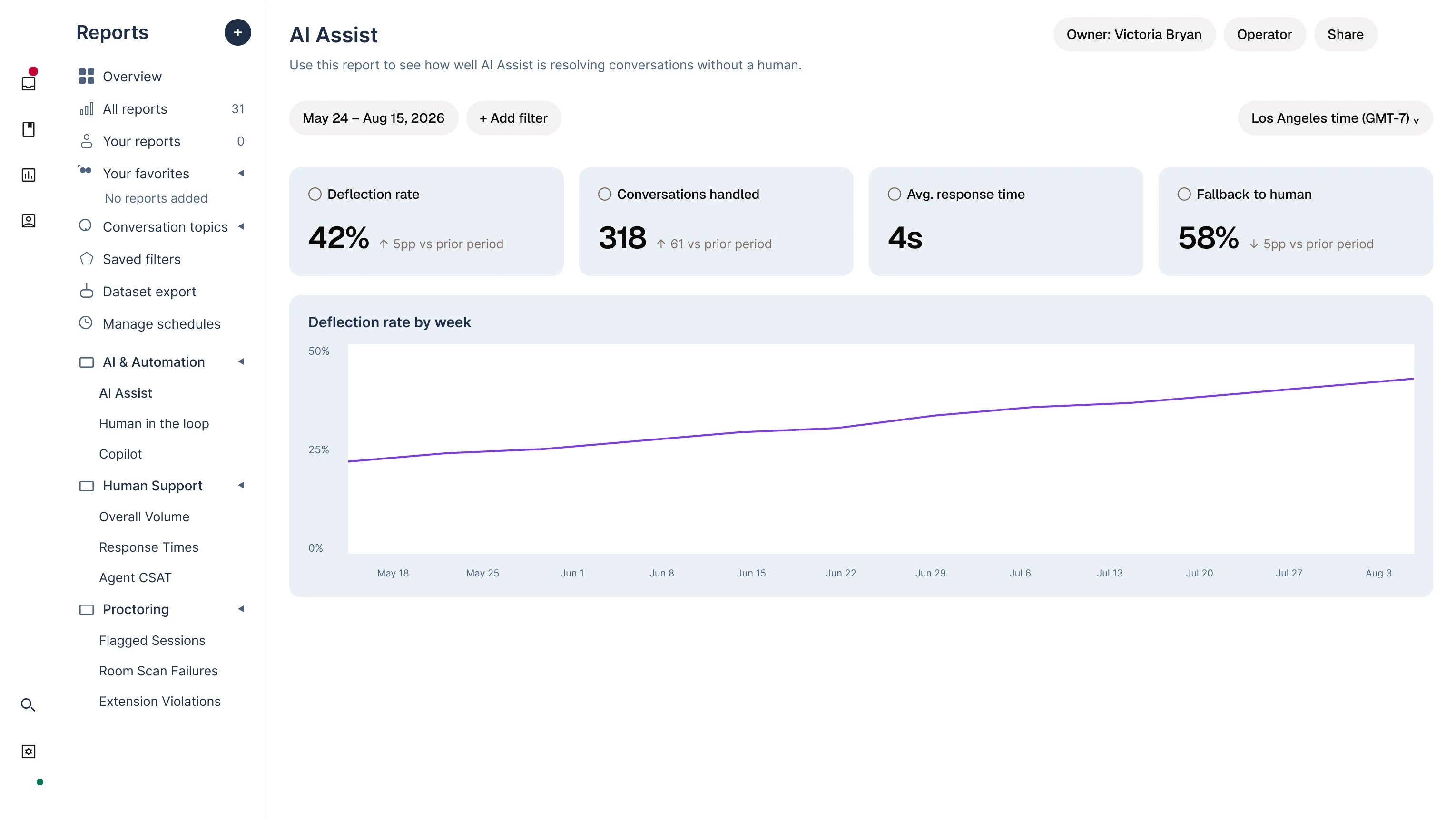
A deeper exploration of the stats side once the inbox settled. The lead series is near-black rather than red, which keeps red free to mean "above threshold" wherever it appears; role colours match the badges they refer to elsewhere in the product.
The console, live
A chat that lives inside the exam UI and routes straight to a support agent, arriving with the context of where the test-taker is in their session, so the agent isn't starting from zero. It resolves in real time without pulling the test-taker out of the exam, and the thread persists if the session is paused, so stepping away doesn't cost the agent their place in the conversation.
The whole console, live out of the design system's Storybook: the same code the page composes, not a drawing of it. The picker brings one region forward and drops the rest to 20%, so each piece can be read without losing the page around it.
Inbox — regions
Full screenThe same product exists as a component library, with the token layer written up in full: Integrity Console Design System.